Looking up a river, mountain range, or unfamiliar city often feels like a simple question-and-answer task. But Google Search is also a starting point for exploring how places connect: where a feature lies, what surrounds it, and how its landscape has changed. Understanding how search results are selected can help students and curious travelers move from a quick fact to a more reliable geographic picture.
Search is not a single index arranged in one permanent order. Google discovers pages, stores information about them, and uses automated systems to choose and rank results for each query. The process is explained in this overview of how Google Search works. For geography research, the practical point is that the wording of a question—and the context Google can infer from it—can affect what appears first.
Why geographic searches can produce different results
A query such as “highest mountain” is ambiguous. Do you mean the highest point above sea level, the tallest mountain from base to summit, or the highest peak on a particular continent? A more precise search, such as “highest mountain in North America elevation,” gives the search system clearer signals and is more likely to surface relevant explanations.
Location can matter, too. Searches for “weather,” “parks near me,” or “local geology museum” depend on where the searcher is. A query about a place on the other side of the country may instead return pages that define the location, explain its history, or offer travel information. Search systems use multiple signals to estimate what a person is seeking; the top result is not necessarily the most complete source for a school assignment.
Use search as a route into the evidence
For a geography project, begin with a focused question. Instead of searching “Colorado,” try “how did the Colorado River shape the Grand Canyon?” or “what causes seasonal flooding in the Mississippi Delta?” Specific questions narrow the topic and help reveal the physical processes behind a place.
Then compare the results. A government agency, university, or scientific organization may provide data or a technical explanation. A local history group may offer useful context, while a travel site can help describe visitor access and landmarks. Those sources serve different purposes. A vivid travel article is not automatically the best authority on river discharge, and a scientific paper may not be the easiest introduction for a first-time reader.
Check who produced a page, when it was updated, and what evidence it gives. For claims about hazards, climate, population, or land use, look for named datasets, maps, citations, and clear definitions. When two pages disagree, the difference may come from the year measured, the boundary used, or the meaning of a term—not necessarily from one source being careless.
Read maps and snippets with care
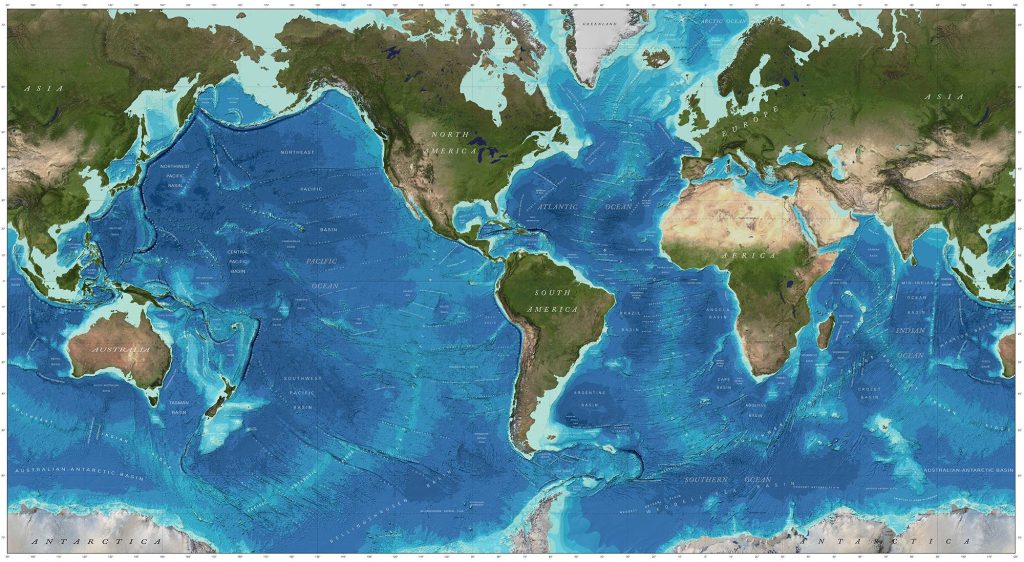
Search results may show a short answer, a map, or a featured extract before the ordinary list of pages. These can save time, but they compress information. An elevation figure, for example, needs a measurement method and a clear reference point. A map can make a pattern visible, but its scale, projection, and date affect what it can tell you.
Open the underlying page when a fact matters. If a map shows population density, ask whether it depicts a census year or a current estimate. If a page labels a region “urban,” find out how that term is defined. Geography is full of measurements that look simple until you ask what was counted and where the boundary was drawn.
Useful searches often improve through iteration. Add a date, region, or data type when results are too broad. Try terms such as “watershed,” “population density,” or “tectonic boundary” when you know the process you want to investigate. You can also search within the site of an institution you already trust, rather than treating the first general result as the final word.
From research to a clear geography project
Once you have gathered information, organize it around a geographic question. A project about coastal erosion, for instance, might combine a map of the shoreline, observations about wave action, and a timeline of land changes. Keep the source and date beside each important fact so that another reader can retrace your steps.
If a classroom or independent project needs a custom map illustration, data visualization, or editing support, a freelance marketplace such as Osdire offers services across creative and technical categories. Freelancers preparing a project proposal can use its guide on writing a clear offer to explain the deliverable, timing, and scope. That kind of clarity is useful in any collaboration: both sides should know what map or analysis is being produced and what information it will rely on.
Educators and geography writers can also share original explainers beyond a classroom or personal site. Exploring guest-posting opportunities may help an article reach readers who are interested in places, landscapes, and science. Whatever the publishing route, careful sourcing matters more than a polished graphic or a high search position.
The takeaway
Google Search can make geographic information easier to find, but it does not replace geographic thinking. Ask precise questions, compare sources, inspect maps in context, and follow important claims back to their evidence. A search result is a useful doorway into a subject; the real understanding comes from examining how a place works and why the information describes it that way.